Frequently asked questions
Does XO Tunnel work with my theme?
Yes, XO Tunnel works with any Shopify theme, and you can change themes as often as you like. After you change themes, enable the app embeds again.
Why can't I see my blogs in the app?
Your blogs, pages, products and collections only appear after you connect Notion. Click Authorize in the setup guide on the home page. See Quick start.
What happens after I uninstall the app?
We keep your data for 7 days, then delete it from our server.
Your Notion connection is removed right away, so you need to authorize Notion again if you reinstall the app.
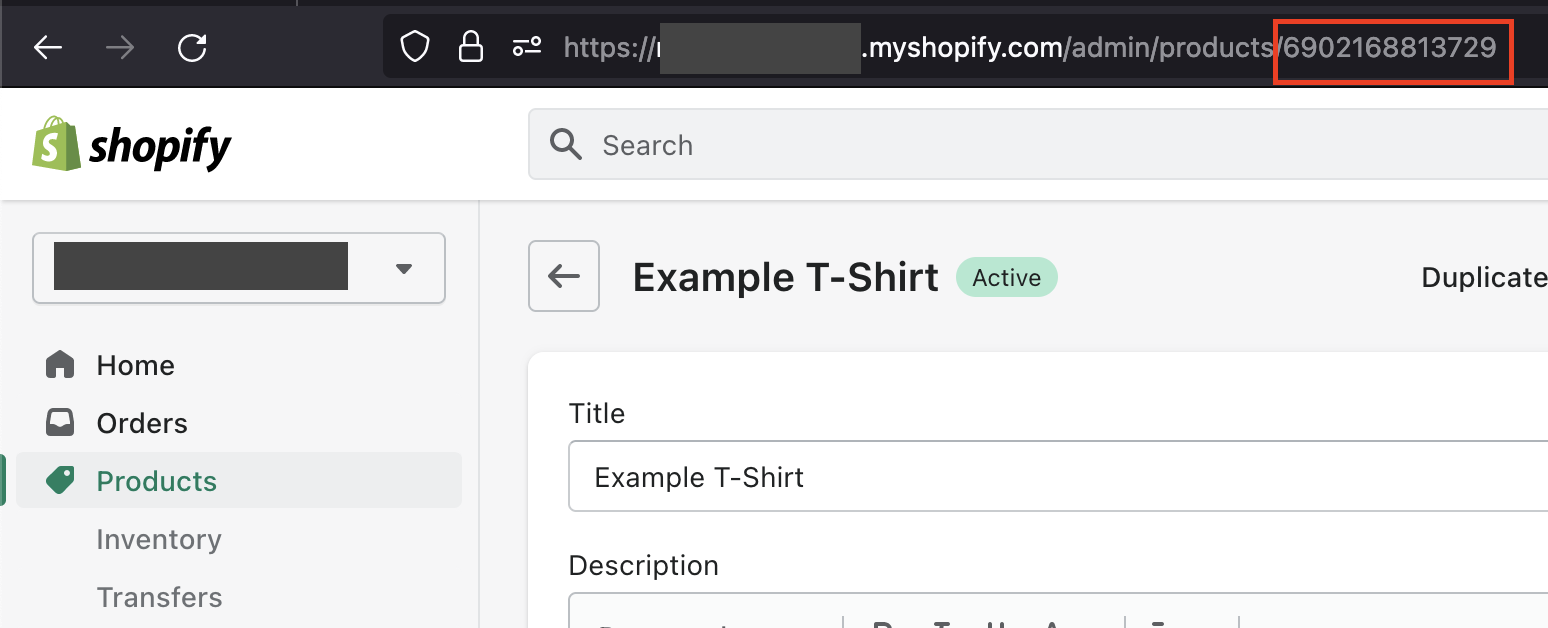
How do I get a product ID?
It is the number after /products/ in the URL when you edit the product in your Shopify admin.
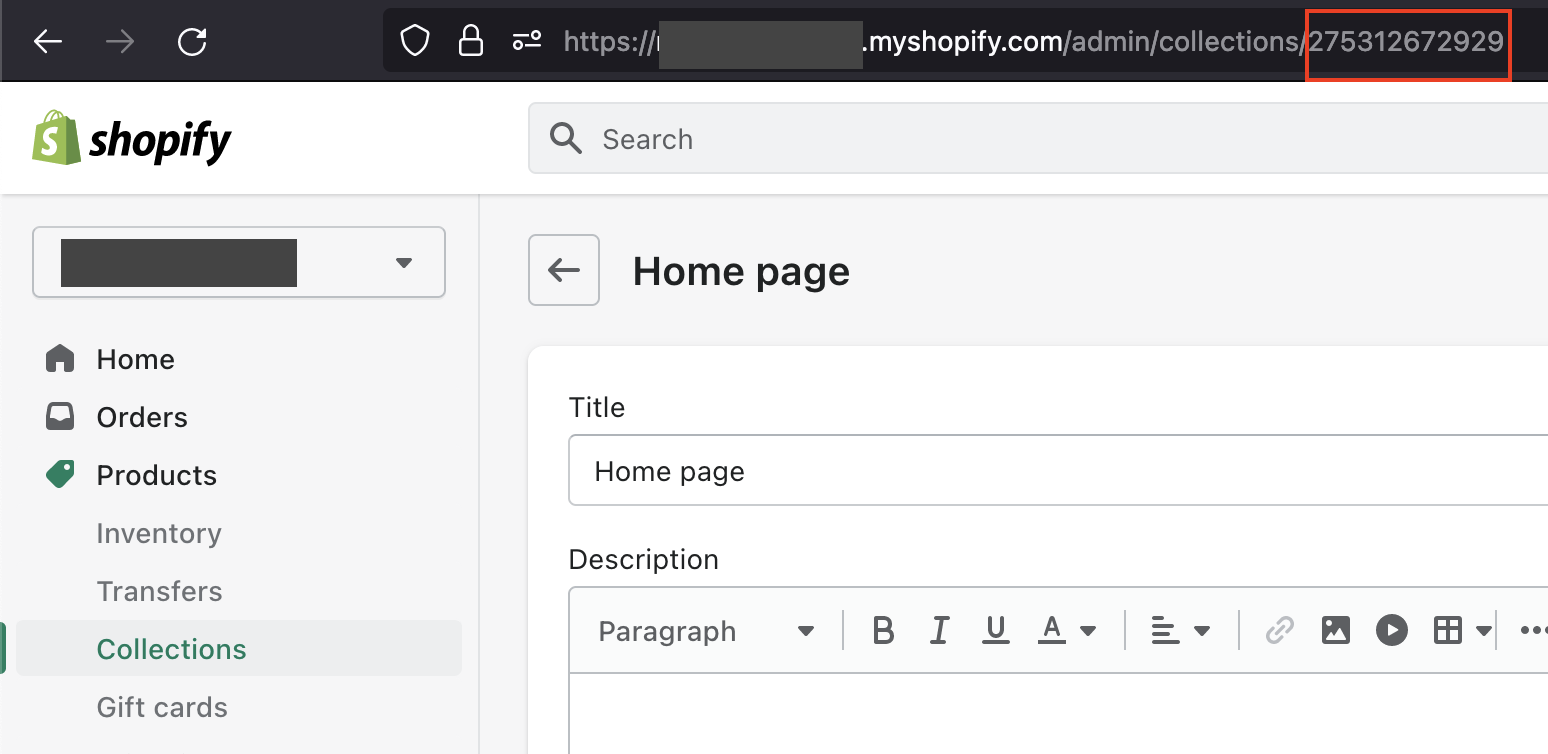
How do I get a collection ID?
Like the product ID, it is the number in the URL when you edit the collection:
How to display a Google Maps block
Add the embed link of the map to Notion:
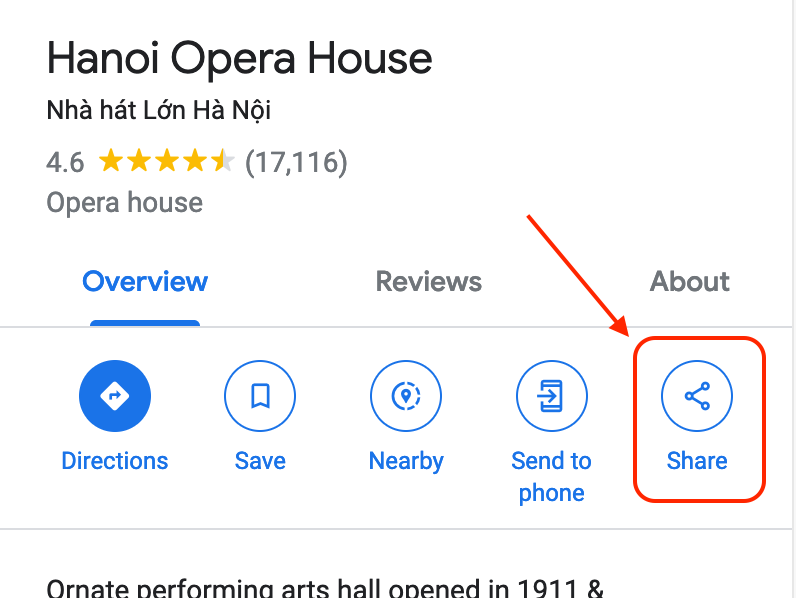
- In Google Maps, click the Share icon.
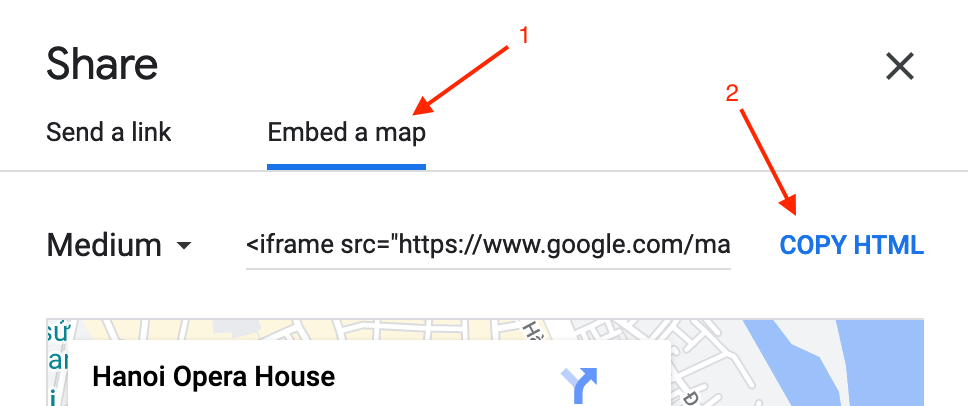
- Click Embed a map, then COPY HTML.
- Paste the code in a text editor, then copy the part from
https://to the nearest" width=, like this: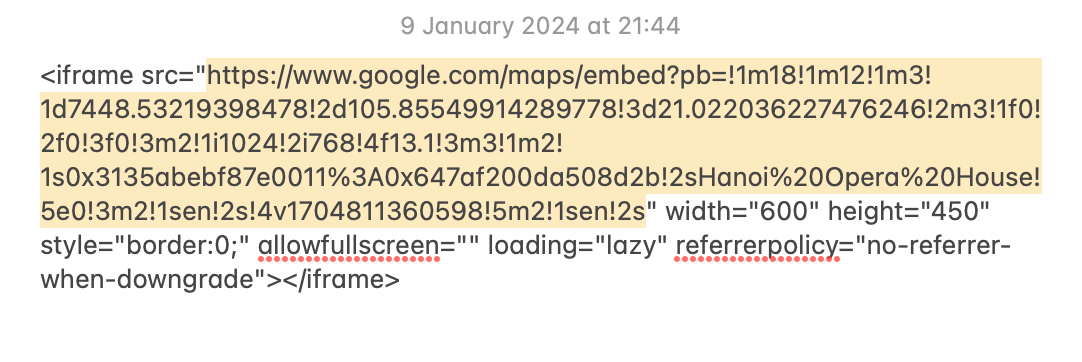
- In Notion, add an Embed block and paste the link.