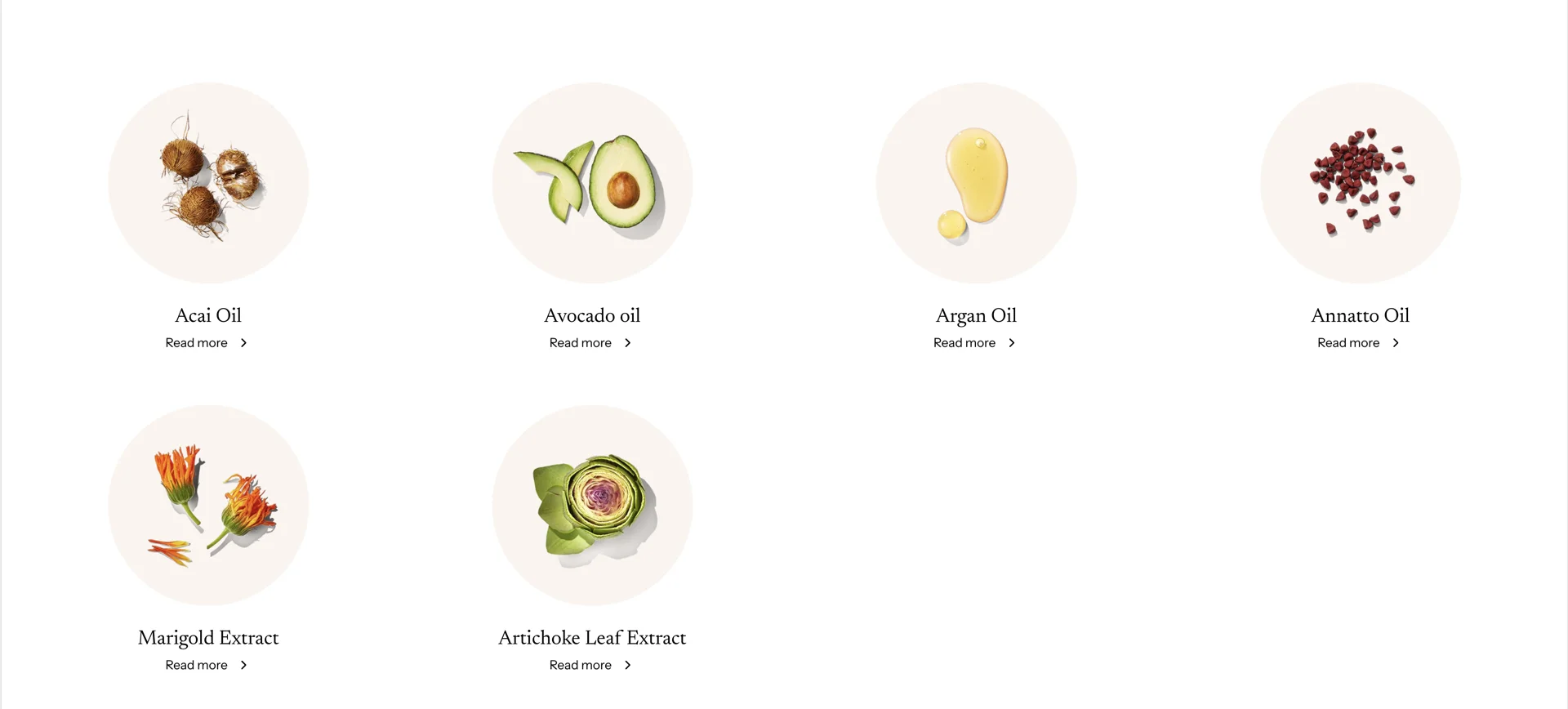
Setup Ingredients list for specific product
This guide describes how to set up the Ingredients list for a specific product.
Create product metafield
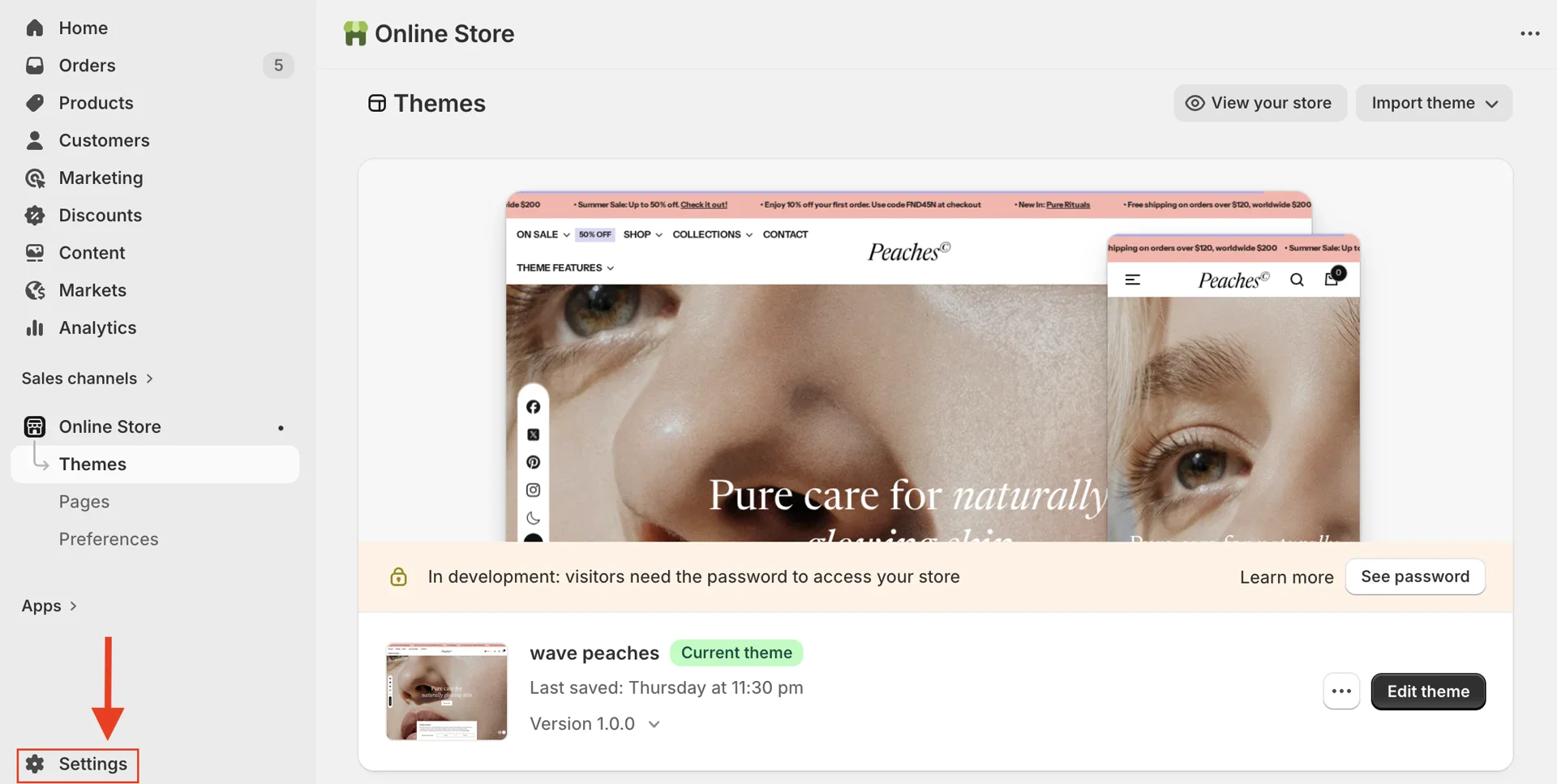
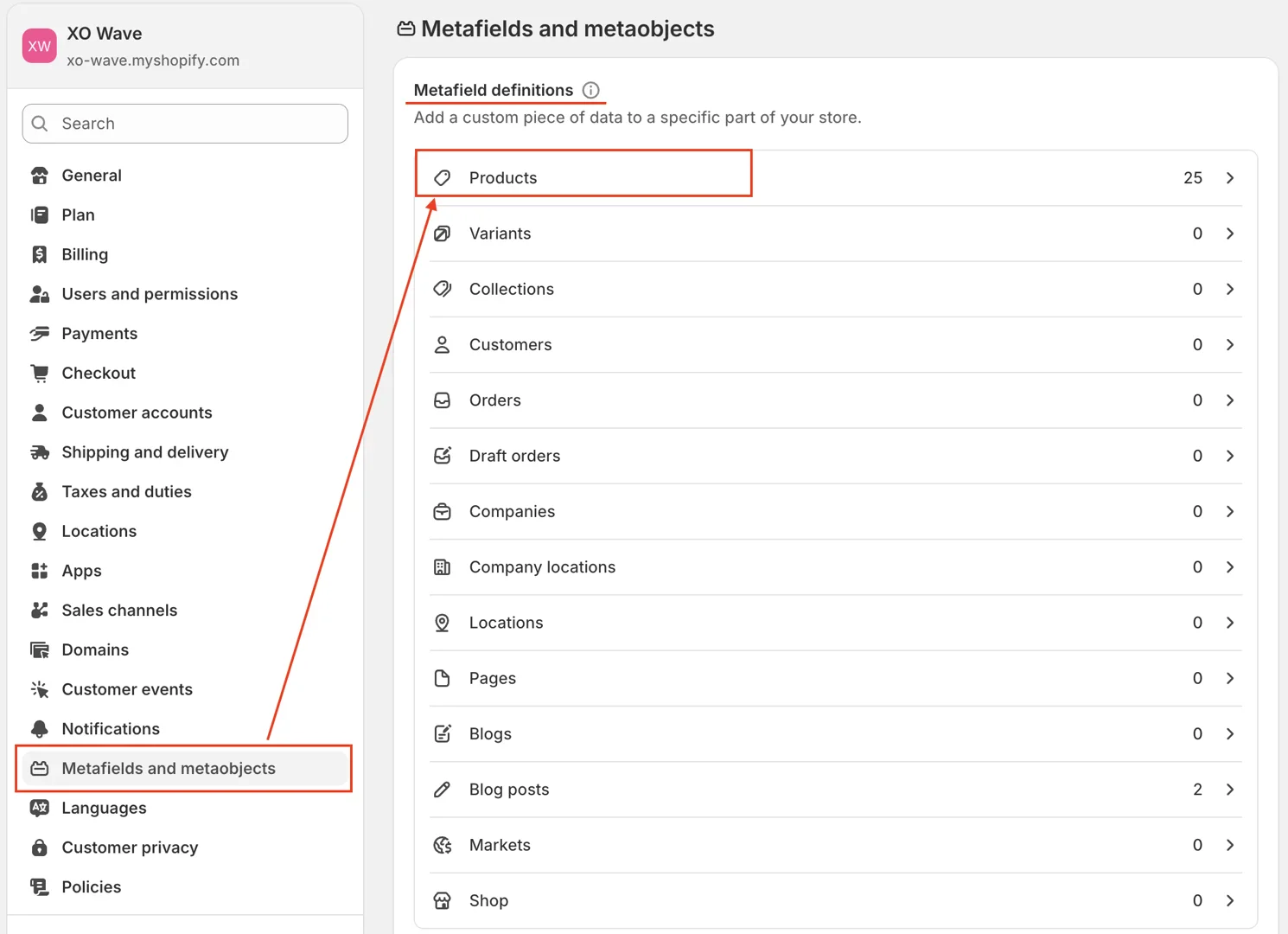
- In Admin dashboard > Settings > Metafields and Metaobjects > Products, under Metafield definitions, click Add definition.
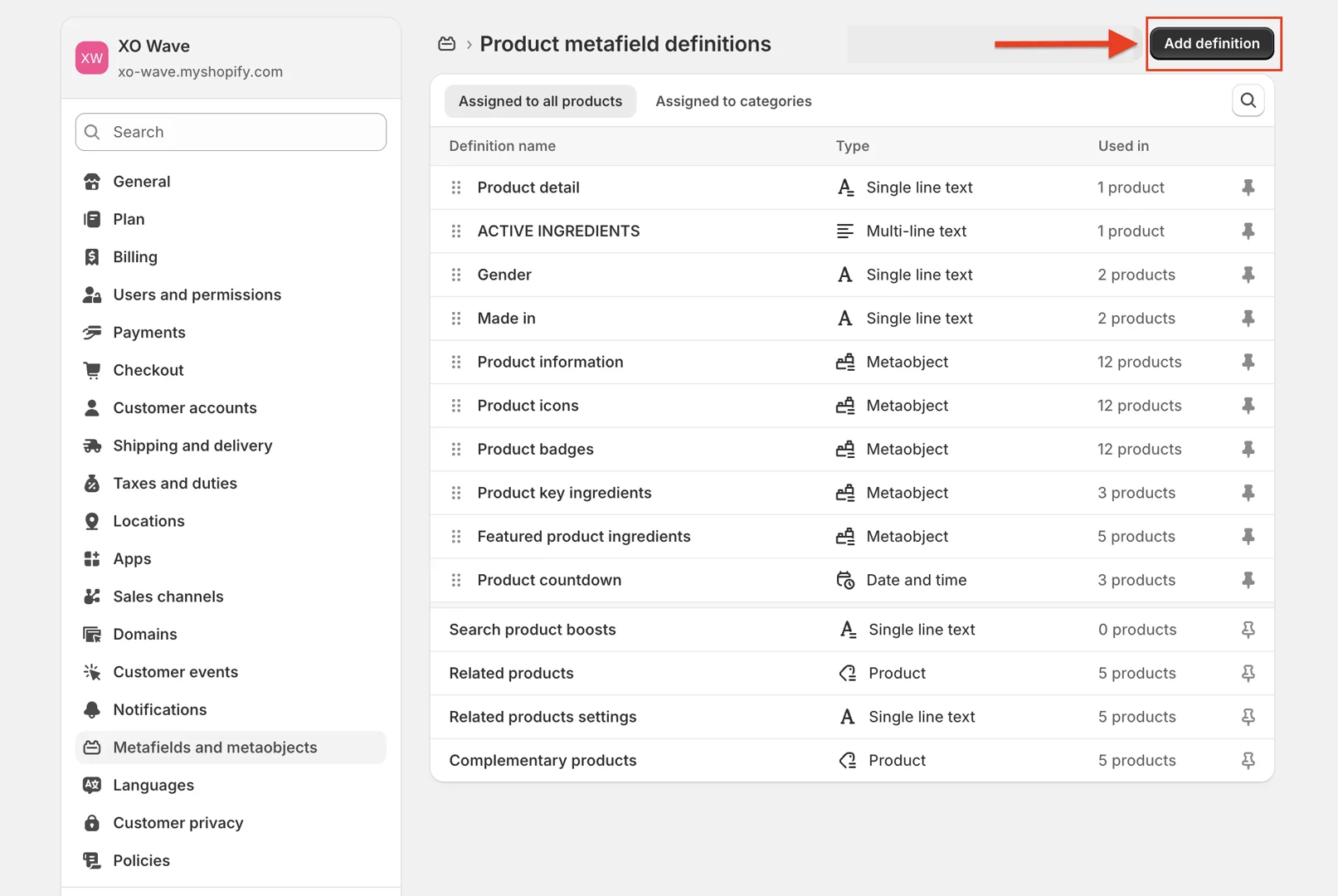
-
In the metafield window, pay attention to the following two fields:
-
Name: The name of the metafield
-
Type: The metafield type—choose List of values type Blog post
-
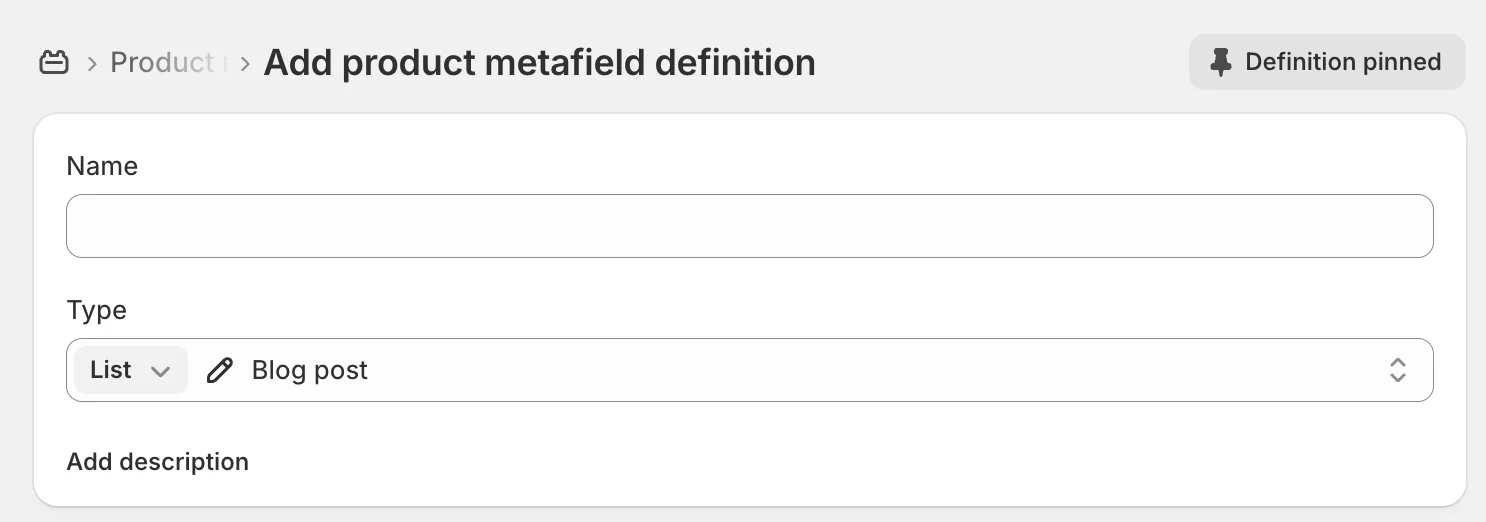
After entering the information, click Save to create the metafield.
Assign values for Metafield
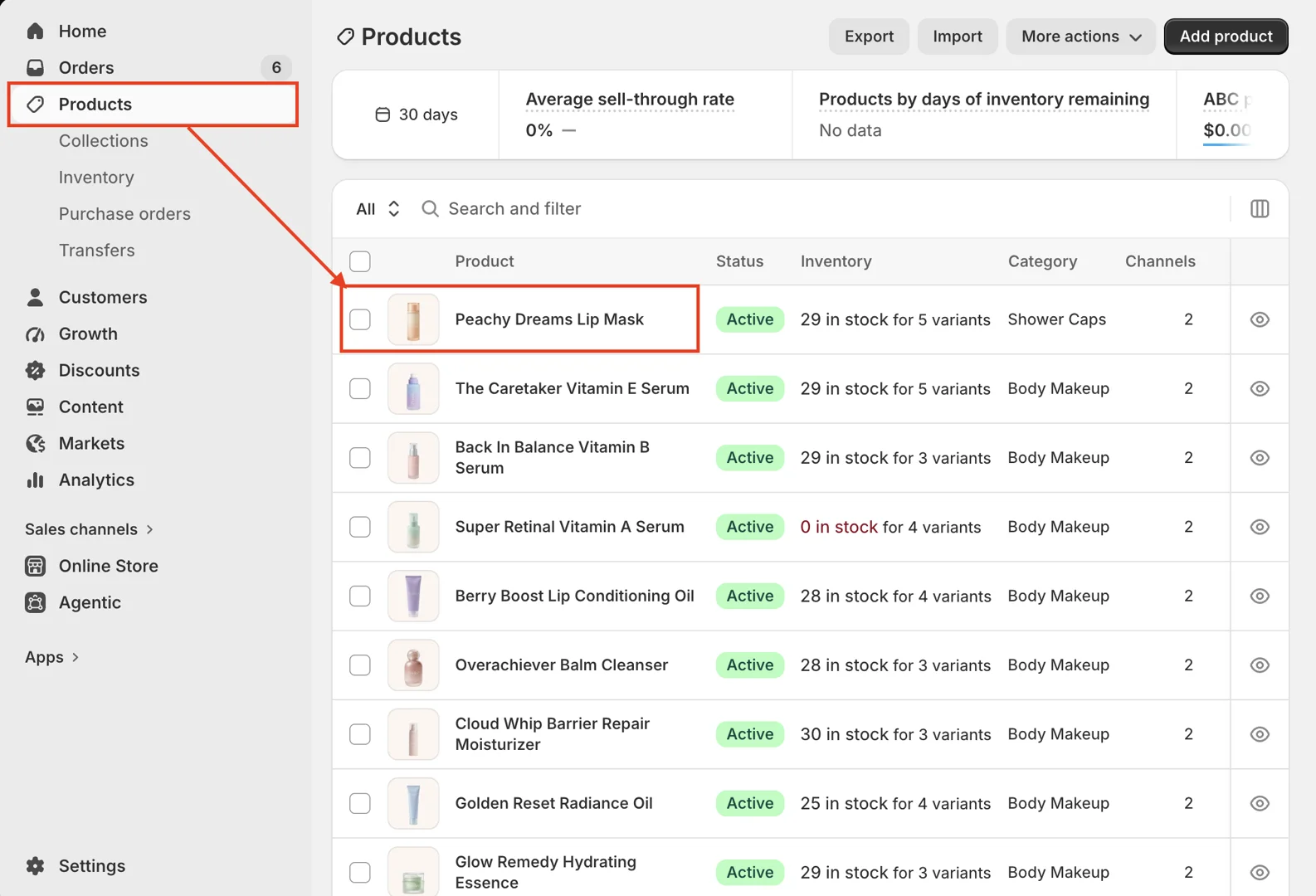
- Go to Product > Select a product > Scroll to the product metafield section.
Select the blog posts.
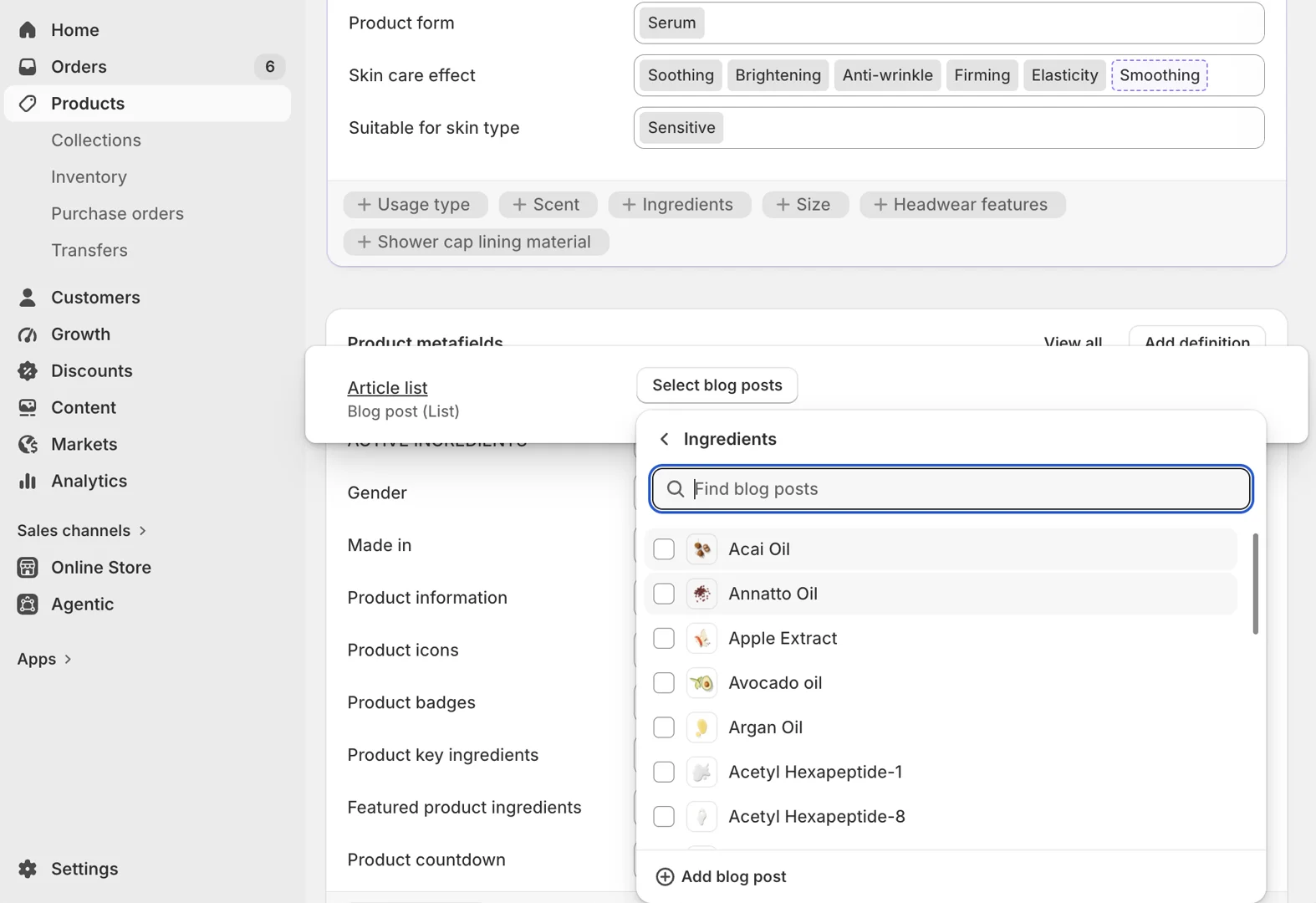
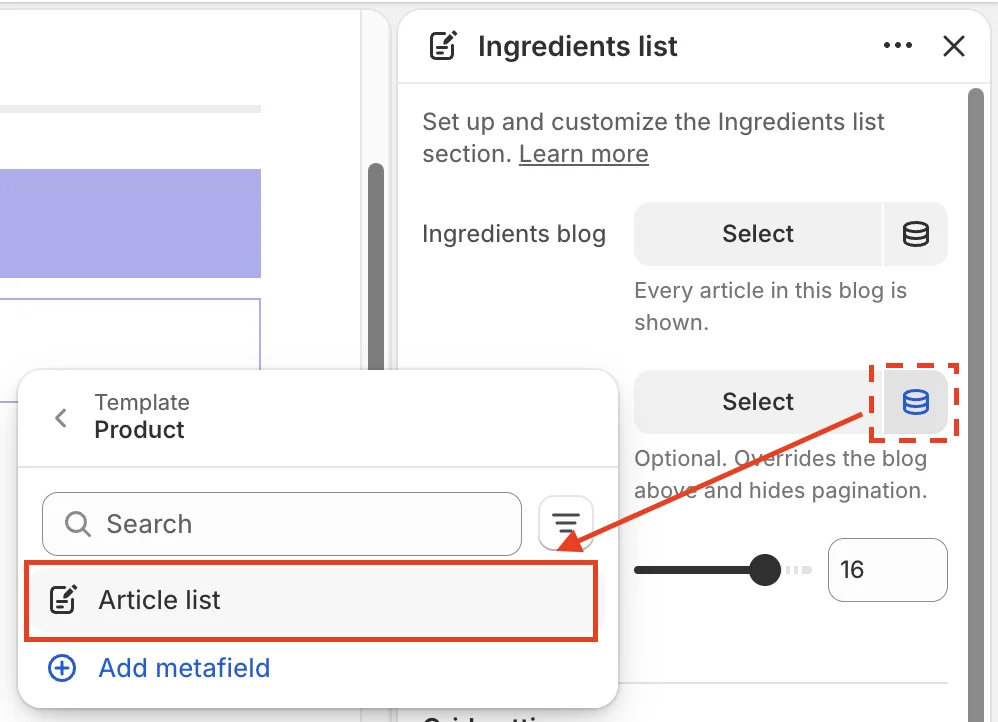
- Connect the article list to the metafield.
In the Selected ingredients field, click the Connect dynamic source icon, then select the corresponding metafield.